The multi-port USB-C 10Gbps AXAGON HMC-CUB83X2 DUAL 4K DISPLAY 7in1 hub expands your notebook, computer, or phone with two video outputs, a LAN connector, and USB ports. You can connect the notebook to the hub using the 15 cm long USB-C cable. This instantly gives you the option to connect two 4K monitors, three USB devices, and an RJ-45 connector for a Gigabit Ethernet network. At the same time, notebook charging via Power Delivery technology is available. Compatibility with Thunderbolt 3/4/5 provides you with a 7in1 docking station for laptops such as the Apple MacBook Air or Pro. The USB hub offers three USB 10Gbps data outputs, two with standard USB-A and a third with USB-C connector. Thanks to USB 3.2 Gen 2 interface, the hub's transfer rate is up to 10 Gb/s. The hub can also handle permanent connection of several external drives simultaneously. Another USB-C connector is reserved only for charging of phone or laptops using Power Delivery 3.0 technology with a power of up to 100 W. Connect a suitable USB-C Power Delivery charger into the hub and connect the hub to a laptop that supports Power Delivery. This saves one USB-C port. The docking station offers two video outputs – HDMI and DisplayPort allows you to connect external monitors, TVs, or projectors with a resolution of up to 8K/30Hz Ultra HD. Other resolutions are also supported, such as 4K/144Hz Ultra HD, 2K/240Hz Quad HD or 1080p/240Hz Full HD and multichannel audio transmission over HDMI. When two monitors are connected simultaneously, it provides a 4K/60Hz resolution on each of them. Thanks to HDR (High Dynamic Range) support, users can enjoy a significantly wider colour range and higher contrast, which is appreciated during both work and entertainment. Gigabit network card extends your computer by a fast and stable network connection, adds the missing RJ-45 network connector or another network card. The compact aluminium body not only looks great, but also provides mechanical durability and passive cooling. USB-C hub is an ideal accessory for laptops without USB-A connectors and video output. You can use your current USB peripherals without having to purchase new ones. Thanks to the Plug & Play and Hot Plug functions, connecting the hub is very simple without complicated installation, and peripherals can also be easily connected and disconnected while the computer is running. For the proper function of the hub, the USB-C port of your notebook must support video output (DisplayPort Alternate Mode or Thunderbolt 3 and above) and Power Delivery power. The hub can easily handle connection to phones and tablets with a USB-C connector. For example, you can connect a flash drive, keyboard, mouse, display, TV or projector to the phone.
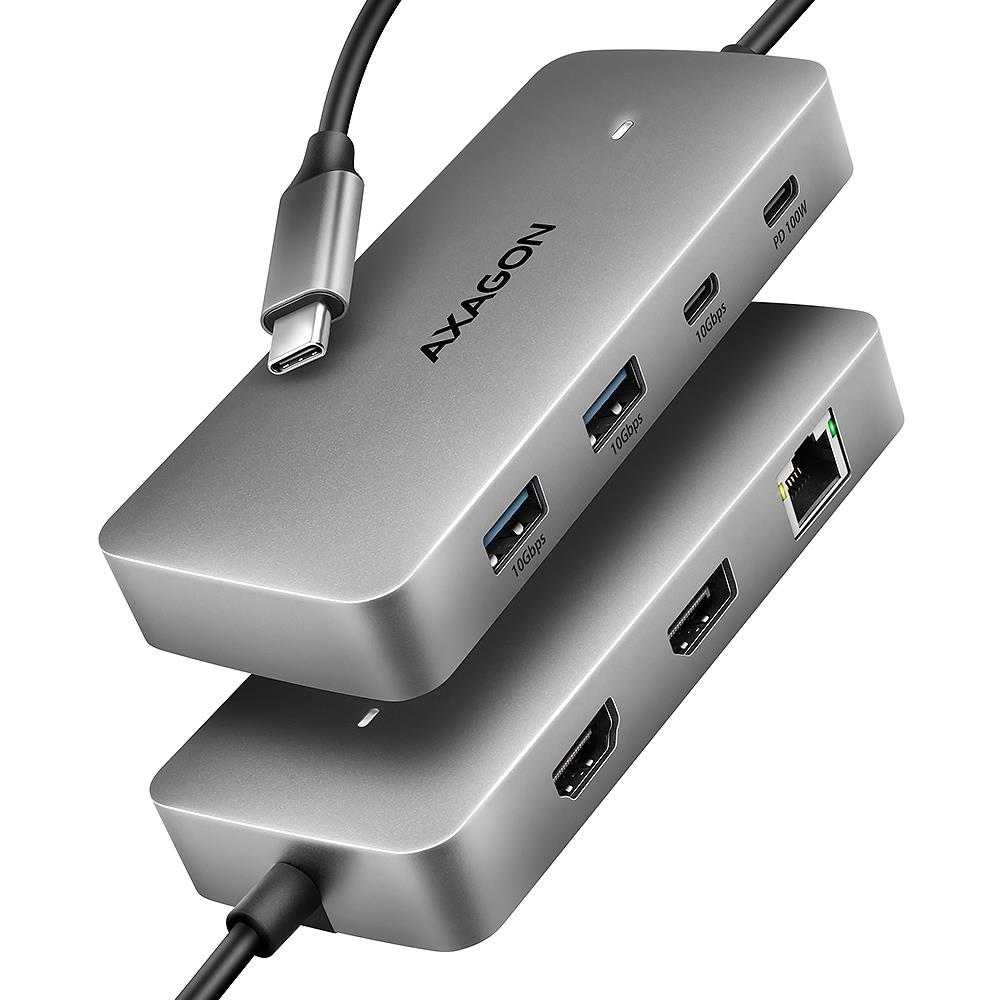
I/O HUB USB-C 3P HDMI DP/0.15M HMC-CUB83X2 AXAGON
HMC-CUB83X2
8595247909305
96,20 €
 Šią prekę pristatome per 3-4 darbo dienas.
Aprašymas